

Your App Is Live. But Can People Find It?
Launching an app feels like the finish line.
You built the product.
You tested it.
You published it.
You invested in development.
Then you check the numbers.
Downloads aren’t growing as expected.
Your competitors seem to appear everywhere.
People visit your app store page but don’t install.
And you start asking:
“Why isn’t our app growing?”
Sometimes the problem isn’t the app itself.
The problem is discoverability.
There are millions of apps competing for attention across app stores. Your potential users aren’t going to browse endlessly until they accidentally find your app.
They search.
They compare.
They look at screenshots.
They read reviews.
They check ratings.
They evaluate the value proposition.
Then they decide whether to install.
This is where App Store Optimization (ASO) becomes important.
ASO is about improving how your app is discovered and presented in app stores—and, ultimately, improving the journey from search → store page → install → user.
What Is App Store Optimization?
App Store Optimization, commonly called ASO, is the process of improving an app’s visibility and conversion performance within app stores.
It can involve areas such as:
- App keyword research
- App title optimization
- Subtitle or short-description optimization
- App descriptions
- App screenshots
- App icons
- App previews and videos
- Categories
- Localization
- Ratings and reviews
- Competitor research
- Store listing conversion optimization
- Custom product pages
- Performance testing
- Ongoing measurement
The exact approach depends on whether you’re optimizing for the Apple App Store, Google Play, or both.
Apple’s current App Store guidance, for example, emphasizes app name, keywords, categories, localization, screenshots, previews, and product-page optimization as important parts of discoverability and conversion.
Google Play similarly emphasizes clear app titles, concise descriptions, useful store-listing content, strong visuals, and policy-compliant metadata.
But there’s one important distinction:
ASO isn’t simply about ranking higher.
It’s about getting the right people to discover your app and giving them a compelling reason to install it.
The Real ASO Problem: Visibility Isn’t Enough
Imagine your app appears in search results 100,000 times.
That sounds impressive.
But suppose only 1,000 people visit the listing and 80 install the app.
You have a visibility problem and a conversion problem.
Now imagine another app gets fewer impressions but converts a much larger percentage of visitors into installs.
Which situation creates more useful growth?
This is why ASO has two connected objectives:
1. Improve Discoverability
Help relevant users find your app.
2. Improve Conversion
Help those users understand the value of your app and choose to install it.
Think of ASO as:
Discovery → Store Listing → Conversion → Acquisition
And increasingly, businesses should also care about what happens after installation.
“Our App Has a Great Product. Why Aren’t Downloads Growing?”
This is one of the most frustrating situations for app businesses.
You may genuinely have a great product.
But app quality doesn’t automatically create visibility.
Think about a physical store.
You could have an excellent product inside.
But if nobody can find the store, walk through the door, or understand what you’re selling from the storefront, sales will still suffer.
Your app store listing is part of your digital storefront.
It needs to communicate quickly:
What is this app?
Who is it for?
What problem does it solve?
Why should I choose it?
What makes it different?
If users can’t understand those answers quickly, they may move on to another app.
Your App Title Is More Important Than You Think
Your app name isn’t just branding.
It also helps communicate what the app does and can influence discoverability.
Apple states that an App Store app name can be up to 30 characters and recommends a name that is simple, memorable, easy to spell, distinctive, and suggestive of the app’s function.
Google Play also currently limits app titles to 30 characters and recommends that titles accurately describe the app while remaining unique and accessible.
That means your title should not be treated as an afterthought.
But don’t turn it into a pile of keywords.
A title should make sense to a human being first.
Keywords: Don’t Chase Every Popular Search
Keyword research is one of the foundations of ASO.
But there’s a common mistake:
“Let’s target the keyword with the highest search volume.”
It sounds logical.
It isn’t always.
Highly competitive keywords can be difficult to compete for, while more specific searches may bring fewer users but stronger relevance.
Apple itself recommends choosing keywords based on terms your audience is likely to use and considering the trade-off between popular, highly competitive terms and less common terms with lower traffic but potentially lower competition.
The better question is:
What would someone search if they genuinely needed an app like ours?
That’s where keyword research becomes valuable.
Search Intent Matters in ASO Too
Consider a hypothetical finance app.
A person searching:
“money app”
could have broad intent.
But someone searching:
“expense tracker for couples”
has a much clearer need.
The second search may have lower overall volume.
But the person behind it may be much closer to finding an app that solves their specific problem.
Good ASO connects:
Keyword → Intent → App Feature → Store Listing → Installation
The goal isn’t to attract everyone.
It’s to attract people who are likely to value your app.
Your Screenshots Are Sales Tools
Here’s something many app businesses underestimate:
Your screenshots aren’t decoration.
They’re part of your sales presentation.
A user may look at your screenshots before reading your entire description.
So instead of simply showing random screens from your application, each screenshot should help communicate a benefit.
For example:
Track Your Expenses Easily
Plan Your Monthly Budget
See Where Your Money Goes
Stay on Top of Your Goals
The screenshot should demonstrate the feature.
The messaging should explain why the feature matters.
That distinction is important.
You’re not just showing the app.
You’re selling the outcome the app provides.
Your App Icon Creates the First Impression
The icon is one of the first visual elements users encounter.
Apple specifically describes the app icon as an important first impression and recommends using it to communicate the app’s quality and purpose.
That means your icon should be:
- Recognizable
- Consistent with your brand
- Visually clear
- Appropriate for your category
- Distinct from competitors
A beautiful icon that looks confusing at small sizes isn’t necessarily doing its job.
ASO design should consider clarity before decoration.
App Descriptions Should Explain Value—Not Just Features
One of the most common mistakes is writing an app description like technical documentation.
For example:
“Our application includes dashboard functionality, notification management, analytics, account settings, and cloud synchronization.”
Technically accurate.
Not very persuasive.
Now consider:
“Track your business performance from one dashboard, receive important updates instantly, and keep your team’s work organized from anywhere.”
The second version connects functionality to outcomes.
Google Play currently recommends that descriptions accurately explain functionality, communicate what makes the app valuable, remain concise and straightforward, and avoid excessive repetition or keyword blocks.
That’s an important principle:
Write for people, then optimize intelligently.
Ratings and Reviews Can Influence the Decision
Imagine two similar apps.
App A
4.7 rating
Thousands of reviews
Recent positive feedback
App B
3.1 rating
Several complaints
Little recent activity
A user may hesitate before installing App B—even if the app itself has useful features.
That’s why app reputation matters.
Businesses should monitor:
- Overall rating
- Review volume
- Recent reviews
- Recurring complaints
- Positive feedback
- Feature requests
- Response quality
- Rating trends
Reviews can also provide something extremely valuable:
Customer language.
Users may describe your product in ways your marketing team never considered.
Those insights can influence:
- Store copy
- Screenshots
- Product messaging
- Feature priorities
- Customer support
- Future keyword research
Negative Reviews Can Tell You What Your Marketing Is Missing
Suppose users repeatedly complain:
“I didn’t understand how this works.”
That’s not just a customer-service issue.
It could also indicate that your store listing isn’t communicating the product clearly enough.
Another example:
“I thought this app had feature X, but it doesn’t.”
Now you may have a messaging problem.
Your marketing is creating an expectation the product doesn’t fulfill.
ASO should therefore be connected with the actual product experience.
Never optimize the store listing in a way that promises something the app doesn’t deliver.
Both Apple and Google emphasize accurate, non-misleading store metadata.
ASO for E-Commerce Apps
E-commerce businesses increasingly use apps to build stronger customer relationships.
For these businesses, ASO can help potential customers discover an app that makes shopping easier.
Your store listing can communicate benefits such as:
- Easier shopping
- Personalized recommendations
- Faster checkout
- Order tracking
- Exclusive app features
- Wishlist functionality
- Product discovery
- Loyalty benefits
But the strategy should reflect the actual experience.
If your app’s biggest advantage is faster repeat purchasing, your store listing should make that obvious.
ASO for SaaS and Business Apps
Business applications have a different challenge.
A decision-maker may be evaluating:
- Productivity
- Security
- Collaboration
- Automation
- Reporting
- Integration
- Cost
- Ease of use
Your store listing needs to communicate business value quickly.
Instead of simply saying:
“Project Management App”
you may need to explain:
“Plan projects, assign tasks, track deadlines, and keep your team aligned.”
The more clearly you communicate the outcome, the easier it becomes for the right user to understand your product.
ASO for FinTech Apps
Financial applications operate in a high-trust environment.
Users may care about:
- Security
- Privacy
- Ease of use
- Transparency
- Supported services
- Account functionality
- Reliability
For these apps, aggressive marketing claims can create the wrong impression.
Your store listing should communicate value clearly while staying accurate and compliant with applicable platform requirements.
Trust isn’t a decoration.
It’s part of the conversion process.
ASO for Healthcare Apps
Healthcare apps have another important consideration:
Trust and clarity.
Users may be looking for:
- Appointment management
- Health tracking
- Medication support
- Telehealth
- Fitness
- Wellness
- Medical information
The listing should clearly explain what the app does and avoid creating misleading expectations.
For healthcare-related products, ASO should work alongside careful product messaging and appropriate compliance requirements.
ASO for Education Apps
Education apps can compete around very different user needs.
A parent might search for:
“math learning app for kids”
A student might search for:
“IELTS practice app”
A professional might search for:
“learn Excel online”
These are different audiences.
The same application may need to communicate different benefits depending on the market.
This is where localization and audience-specific store experiences can become valuable.
Localization Can Open New Markets
If your app is available internationally, translating your store listing word-for-word may not be enough.
People in different markets may:
- Search differently
- Use different terminology
- Respond to different value propositions
- Have different cultural expectations
- Prefer different visual messaging
Apple recommends localizing product-page information such as descriptions, keywords, previews, and screenshots for the markets where an app is offered.
Good localization is therefore more than translation.
It’s adapting the customer experience to the market.
Custom Product Pages Can Make Your Marketing More Relevant
Apple provides Custom Product Pages, allowing developers to create additional App Store product pages with different screenshots, previews, promotional text, and keywords for specific audiences or campaigns.
Think about the possibilities.
You have one app.
But different users care about different things.
A fitness app could create different experiences around:
- Weight training
- Running
- Home workouts
- Nutrition
A travel app could highlight:
- Flights
- Hotels
- Family travel
- Business travel
A productivity app could emphasize:
- Team collaboration
- Personal organization
- Project management
Instead of forcing everyone through exactly the same message, you can create a more relevant journey.
Testing Is Where ASO Becomes a Growth Process
You don’t have to guess which creative approach will perform best.
Apple’s Product Page Optimization feature allows developers to test different app icons, screenshots, and previews with selected user groups and evaluate performance through App Analytics.
This changes the mindset from:
“We think this screenshot is better.”
to:
“Let’s test it.”
You can learn which presentation better communicates your app’s value.
That’s powerful.
Because ASO shouldn’t be a one-time project.
It should become an ongoing optimization process.
Google Play Store Listings Need the Same Strategic Thinking
Google Play provides several important listing elements, including:
- App title
- Short description
- Full description
- Icon
- Feature graphic
- Screenshots
- Video
Google currently recommends concise, accurate descriptions, clear communication of benefits, consistent visual treatment, and minimal unnecessary text in graphics.
Google Play currently limits:
App title: 30 characters
Short description: 80 characters
Full description: 4,000 characters
Those limits make copywriting important.
You have limited space.
Every word should earn its place.
Don’t Stuff Keywords Into Your App Listing
One of the easiest ways to make your store listing feel unnatural is to write for algorithms instead of users.
Something like:
“Best fitness workout exercise gym training fitness app workout tracker fitness…”
doesn’t create confidence.
It creates noise.
Google explicitly advises against repetitive, excessive, or irrelevant keyword blocks and recommends natural, succinct descriptions.
Apple also restricts irrelevant or unauthorized keyword usage and recommends using specific, relevant terms.
The better approach is:
Research → Prioritize → Integrate Naturally → Measure
ASO Doesn’t End With the Install
Here’s a critical point.
A download isn’t necessarily a successful customer.
Suppose your app receives:
10,000 store visits
2,000 installs
That’s a 20% install conversion rate.
Looks great.
But what if:
1,500 users never return?
The business may still have a retention problem.
That’s why ASO should connect with the broader app growth funnel:
Discovery → Store Visit → Install → Activation → Engagement → Retention → Revenue
The store page gets users through the door.
The product experience determines what happens next.
The Business Metrics That Actually Matter
A good ASO strategy should connect store performance with business objectives.
Depending on the app, you may track:
- Store impressions
- Product-page views
- Install conversion rate
- Downloads
- Cost per install
- Organic installs
- Paid installs
- Ratings
- Review trends
- Activation rate
- Retention
- Subscription conversion
- In-app purchases
- Revenue
- Customer lifetime value
For a free social app, user activation and retention may matter heavily.
For a subscription app, trial-to-paid conversion may be more important.
For an e-commerce app, revenue and repeat purchases may be central.
ASO metrics should reflect the business model.
Why Some Apps Get Downloads but Don’t Grow
This is another important distinction.
An app can have good visibility and still struggle commercially.
For example:
High installs + poor retention
could indicate an onboarding or product-experience issue.
High store visits + low installs
could indicate a conversion or positioning problem.
Low store impressions + strong conversion
could indicate a discoverability problem.
Good organic growth + weak revenue
could indicate a monetization issue.
This is why ASO needs to be analyzed as part of the broader app funnel.
Don’t simply ask:
“How many downloads did we get?”
Ask:
“Where are users dropping out?”
Common ASO Mistakes Businesses Make
1. Treating ASO as a One-Time Task
App stores and competitors change.
Your listing should evolve too.
2. Choosing Keywords Based Only on Volume
Relevance and competition matter.
3. Using Generic Screenshots
Screenshots should communicate benefits—not simply show random interfaces.
4. Ignoring Reviews
Your customers are telling you what they like and dislike.
Listen.
5. Copying Competitors
Your app needs its own positioning.
6. Overloading Descriptions With Keywords
Natural language creates a better user experience.
7. Ignoring Localization
International users may search and respond differently.
8. Measuring Only Downloads
Downloads don’t tell the whole story.
9. Making Promises the App Can’t Deliver
This damages trust and can create platform-policy problems.
10. Never Testing Store Assets
Without testing, you’re relying heavily on assumptions.
A Better ASO Strategy for Any Business
Whether you’re building a startup app, e-commerce app, SaaS product, healthcare platform, education app, fintech product, or consumer application, the process should begin with the business.
Step 1: Understand the Product
What does the app actually do?
Step 2: Understand the Audience
Who needs it?
Step 3: Research Search Behavior
What are potential users searching for?
Step 4: Study Competitors
What are competing apps communicating?
Where are there gaps?
Step 5: Build the Keyword Strategy
Prioritize relevant opportunities based on intent, competition, and business relevance.
Step 6: Optimize Store Metadata
Improve titles, descriptions, subtitles, keywords, categories, and other relevant fields.
Step 7: Improve Visual Assets
Create screenshots, icons, previews, and other assets that communicate the product’s value.
Step 8: Localize Where Appropriate
Adapt the experience to important markets.
Step 9: Test
Compare different assets and messages where the platform supports experimentation.
Step 10: Measure
Track visibility, conversion, installs, retention, and revenue.
Step 11: Iterate
Use what the data teaches you.
ASO and Paid App Marketing Should Work Together
ASO and paid acquisition don’t have to operate separately.
Imagine you run an Apple Ads campaign.
A user sees your advertisement.
They tap it.
They reach your product page.
If your advertising promises:
“Plan your entire trip in one app.”
but your product page focuses on something completely different, the customer journey becomes inconsistent.
Apple’s Custom Product Pages can help create more relevant landing experiences for specific campaigns and audiences, including Apple Ads campaigns.
This illustrates an important principle:
Your advertisement creates the expectation.
Your store page needs to fulfill it.
ASO Is Not Just for App Startups
One misconception is that ASO is mainly for technology startups.
It’s much broader.
ASO can matter to:
- E-commerce companies
- Banks and fintech businesses
- Healthcare organizations
- Educational institutions
- Restaurants
- Travel companies
- Real estate businesses
- Fitness brands
- SaaS companies
- Media companies
- Professional services
- Retail brands
- Entertainment businesses
- Established enterprises
If your business has an app and depends on acquiring users, your app store presence is part of your marketing infrastructure.
The Bigger Picture: App Growth Is a Business Problem
It’s tempting to think ASO is simply:
Keywords + Screenshots + Description = More Downloads
But real app growth is more complicated.
It looks more like:
Market Demand
↓
Search Discovery
↓
Store Listing
↓
Install
↓
Activation
↓
Retention
↓
Revenue
If you only optimize one stage, you’re leaving opportunities elsewhere.
That’s why effective ASO should work alongside:
SEO + Paid Advertising + Social Media + Content Marketing + Email Marketing + App UX + Retention + Analytics
The strongest results come when these pieces support one another.
Your App Deserves More Than Just a Store Listing
You invested time and money into building your app.
Don’t let the final step—how you present it in the app store—become an afterthought.
Your potential customers are making decisions in seconds.
They are comparing alternatives.
They are judging your screenshots.
They’re reading reviews.
They’re deciding whether your app is relevant to their problem.
Your store presence needs to answer that decision quickly:
“This app is for me.”
That’s the moment ASO is designed to create.
Turn App Discovery Into Business Growth
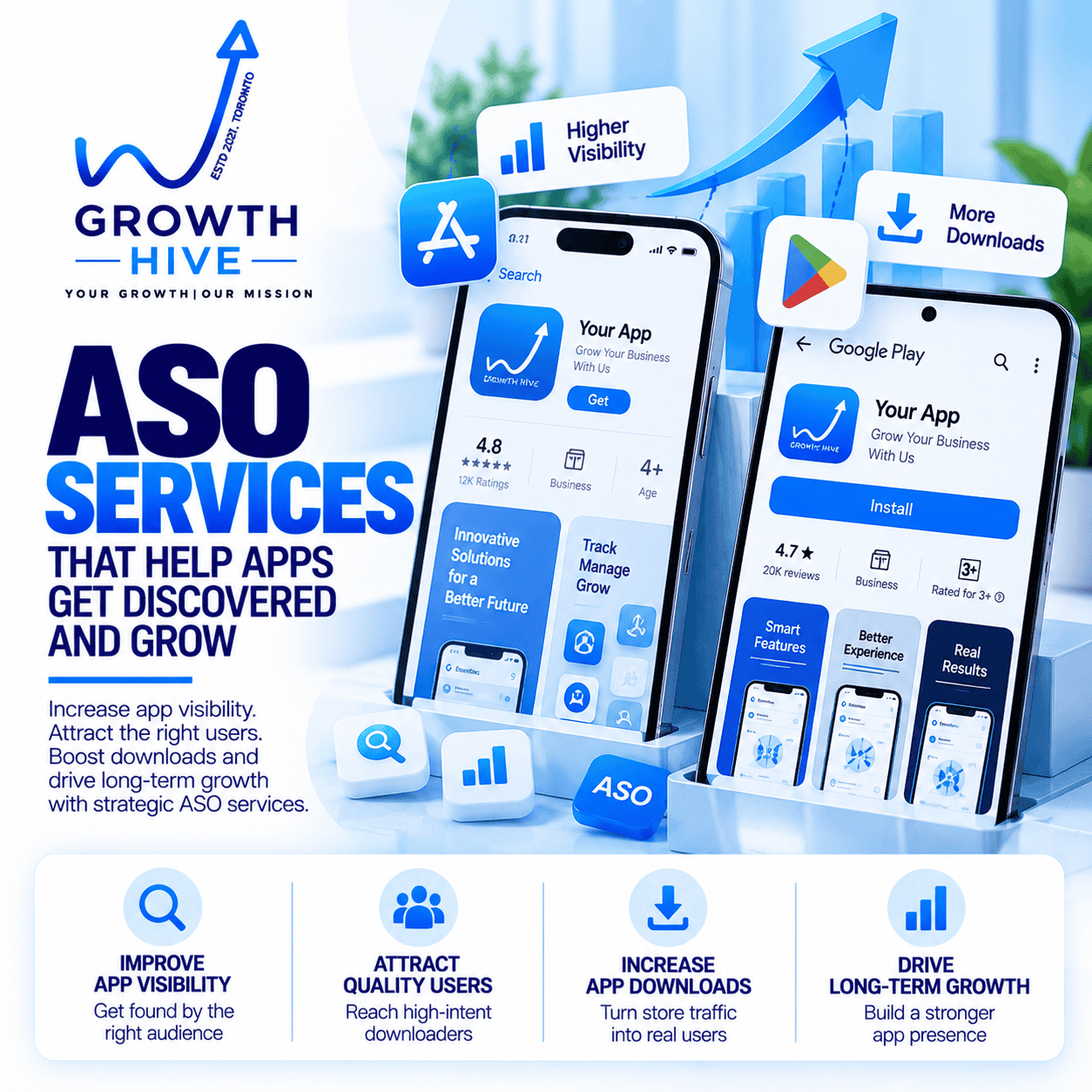
At Growth Hive, our ASO approach focuses on the complete app acquisition journey—not just keywords.
We can help businesses work on:
Keyword Research → Store Metadata → App Copy → Screenshots → Visual Messaging → Competitor Research → Localization → Conversion Optimization → Testing → Performance Analysis
The goal is simple:
Help the right users discover your app, understand its value, and take the next step.
Because getting an app into the App Store or Google Play is only the beginning.
The real challenge is getting discovered—and turning discovery into sustainable growth.


Leave a Reply